
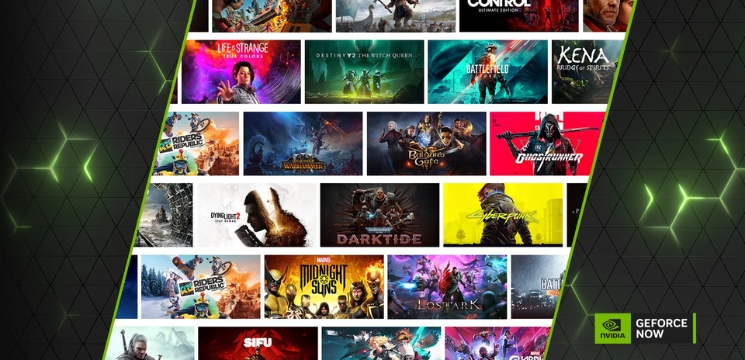
Cloud gaming has been around for a while now, but GeForce Now takes a different approach compared to most competitors. Rather than building a library of games you can access through subscription, NVIDIA decided to let people play titles they already own. It’s an interesting strategy that sets it apart right from the start.
How GeForce Now Actually Works
The basic concept is straightforward enough. You connect your existing game account. Steam, Epic Games Store, Ubisoft Connect, and others, to GeForce Now. The service then streams those games from NVIDIA’s servers to whatever device you’re using. Your local hardware doesn’t need to be powerful since all the processing happens remotely.
What makes this appealing is pretty obvious. Someone with a laptop from 2018 can theoretically play Cyberpunk 2077 with ray tracing enabled. The heavy lifting gets done by server-grade GPUs sitting in data centers, while your device just receives a video stream and sends back your inputs.
There’s a catch though, and it’s not a small one. Not every game works with GeForce Now. Publishers have to give permission, and some major ones have pulled their titles over the years. More on that later.
The Different Membership Tiers
NVIDIA offers three options here, each aimed at different types of players.
Free Tier
The free tier exists mostly as a trial, honestly. You get basic access but with session limits of one hour and you’ll wait in queues during busy times. It’s decent for testing whether the service works well with your internet connection, but probably too restrictive for regular gaming.
Priority Membership
Priority membership costs $10.99 monthly (or less if you pay for six months upfront). This removes the queues and bumps sessions up to six hours, which is more realistic. Streaming maxes out at 1080p and 60fps. For most people who decide GeForce Now suits their needs, this tier makes the most sense from a cost perspective.
Ultimate Tier
Then there’s Ultimate at $21.99 per month. You get access to RTX 4080-level hardware, which means 4K streaming, up to 240fps on supported games, and full ray tracing capabilities. The eight-hour sessions help too. Whether the extra cost justifies these upgrades depends heavily on your setup at home and how much you value visual fidelity.
What Can You Actually Play?
This is where things get complicated. GeForce Now supports over 1,800 games currently, which sounds impressive until you realize that’s still a fraction of what’s available on Steam alone. Big names like Call of Duty aren’t available because Activision Blizzard opted out years back. Same goes for Rockstar titles.
On the flip side, most major publishers do participate. You’ll find games from CD Projekt Red, Epic’s own titles obviously, plenty of indie hits, and a solid selection of multiplayer favorites like Fortnite, Apex Legends, and Destiny 2. If you mainly stick to supported games, the library won’t feel limiting.
One nice aspect: when developers update their games, those patches appear automatically in the cloud version. No waiting for massive downloads or managing storage space. Your saves sync across devices too, assuming the game supports cloud saves through its original platform.
The real question before signing up is checking whether the specific games you want to play are supported. NVIDIA maintains a searchable list on their website, and it’s worth spending time there before committing money.
Performance and Connection Requirements
Your internet connection matters more than anything else with cloud gaming. NVIDIA recommends 15 Mbps minimum for 720p at 60fps, but realistically you want more headroom than that. The Ultimate tier needs around 45 Mbps for 4K streaming.
Latency and Input Delay
Latency is the bigger concern for many games though. If you’re far from the nearest data center or your ISP’s routing is inefficient, you’ll notice input delay. NVIDIA has been expanding server locations, which helps, but geography still plays a role. Fighting games and competitive shooters become challenging if your latency exceeds 30-40ms.
Wired connections beat WiFi pretty consistently here. The stability matters as much as the raw speed. Brief network hiccups that wouldn’t affect Netflix viewing can cause noticeable stuttering in fast-paced gameplay.
Device Compatibility
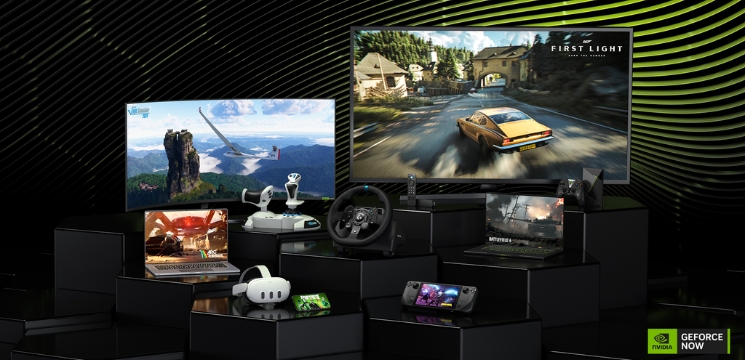
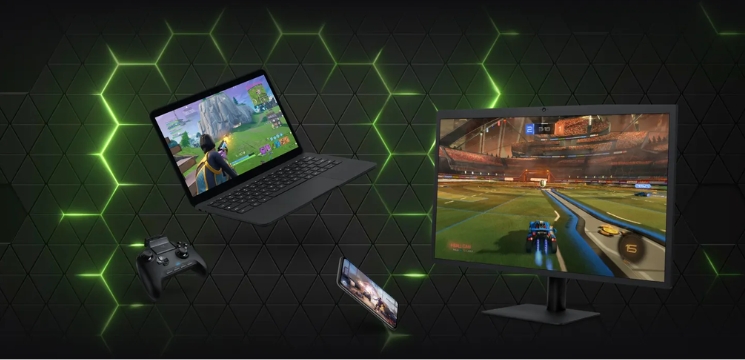
The service works across different devices: Windows, Mac, Chromebooks, Android, iOS, and some smart TVs through web browsers. The experience varies though. Playing on a phone over 5G can work surprisingly well, but trying to enjoy a story-driven RPG on a 6-inch screen isn’t ideal regardless of streaming quality.
Does The Pricing Make Sense?
Whether GeForce Now offers good value depends entirely on your situation.
If you already own 50+ games on Steam and your PC is aging out, the Priority tier basically replaces a GPU upgrade that would cost several hundred dollars. That math works out favorably, especially given current hardware prices.
But if you’re new to PC gaming with an empty library, you’re still paying full price for games on top of the subscription. In that scenario, Xbox Game Pass Ultimate (which includes cloud gaming and hundreds of games) might offer better value.
The free tier’s hour-long sessions seem deliberately restrictive to push people toward paid plans. It’s understandable from a business angle, but it does mean you can’t really evaluate the service properly without hitting those limits quickly.
One thing to consider: GeForce Now doesn’t lock you into game purchases through their ecosystem. If you eventually build a gaming PC, those Steam games transfer over immediately. You’re not starting from scratch like you would abandoning a console platform.
Where It Excels and Where It Struggles
GeForce Now handles graphically demanding single-player games quite well under good network conditions. Playing something like Baldur’s Gate 3 on max settings through a basic laptop feels almost magical when it works smoothly.
The technology itself is solid. NVIDIA has experience with GPU streaming from their professional solutions, and it shows. When your connection is stable, the experience gets close enough to native gaming that you stop thinking about the streaming aspect.
But those library gaps create real frustration. Wanting to play a specific game only to discover it’s not supported gets old fast. The situation has improved over time as NVIDIA signs more publishers, but uncertainty remains about long-term availability for any given title.
Competitive multiplayer presents mixed results. Games where reaction time matters intensely, like Counter-Strike, show their flaws more readily through cloud streaming. Turn-based strategy games or slower-paced titles work better overall.
Session limits on Priority tier still interrupt longer gaming sessions occasionally. Getting kicked mid-campaign because your six hours expired isn’t game-breaking, but it’s annoying enough to mention.
Who Should Consider GeForce Now?
Students using school-issued laptops that can barely run Minecraft become viable candidates. The hardware requirements are genuinely minimal for decent streaming quality.
People who travel frequently but want access to their game library find value here too. Hotels usually have WiFi that’s adequate for 1080p streaming, even if it wouldn’t support downloading a 100GB game.
Budget-conscious gamers who prioritize access over ownership models might prefer this over building a gaming rig right now. GPU prices have stabilized compared to the pandemic era, but entry-level systems still cost considerably more than a year of GeForce Now subscriptions.
Conversely, players with gigabit fiber connections and proximity to data centers get the most optimal experience. If you’re rural with satellite internet or stuck on inconsistent DSL, cloud gaming in general probably isn’t ready yet.
GeForce NOW – Pros and Cons Explained
Here’s a quick summary of what works and what doesn’t with GeForce Now.
| Pros | Cons |
| Use your existing Steam, Epic, and Ubisoft game libraries | Missing major titles like Call of Duty and Rockstar games |
| RTX 4080-level performance with ray tracing on Ultimate tier | Session time limits interrupt longer play sessions |
| No downloads or updates needed | Requires strong internet connection and nearby data centers |
| Works on laptops, phones, tablets, and low-end devices | Games must be purchased separately |
| Free tier available for testing | Input lag affects competitive multiplayer |
Looking Ahead
The cloud gaming space keeps evolving. Microsoft pushes Xbox Cloud Gaming through Game Pass, Google abandoned Stadia but that freed up data center capacity that competitors now use, and Amazon Luna continues expanding quietly.
GeForce Now’s biggest advantage remains that “bring your own games” model. It avoids the sustainability questions that plague services dependent on licensing deals for their entire catalog. As long as Steam and Epic exist, GeForce Now has potential content.
Publisher relations will determine much of the future though. Every major studio that opts in makes the service more compelling. Every one that pulls out or refuses to join creates friction for potential subscribers.
NVIDIA keeps adding features and improving infrastructure. The recent addition of ultrawide monitor support and various quality-of-life updates show ongoing development attention. Whether that’s enough to compete with competitors offering games bundled with subscriptions remains an open question.
For now, GeForce Now fills a specific niche effectively. It won’t replace dedicated gaming hardware for enthusiasts, but it makes modern gaming accessible to people who otherwise couldn’t participate. That’s valuable even if the execution remains imperfect in certain areas.
